Built for electrical contractors

Know what’s happening on every job.

Turn the way your team already runs projects into repeatable checklists. Flou shows the office and field what comes next, who owns it, and where work is stuck—from kickoff through closeout.

You’ll talk directly with Daniel, Flou’s founder. Available in English and Spanish.

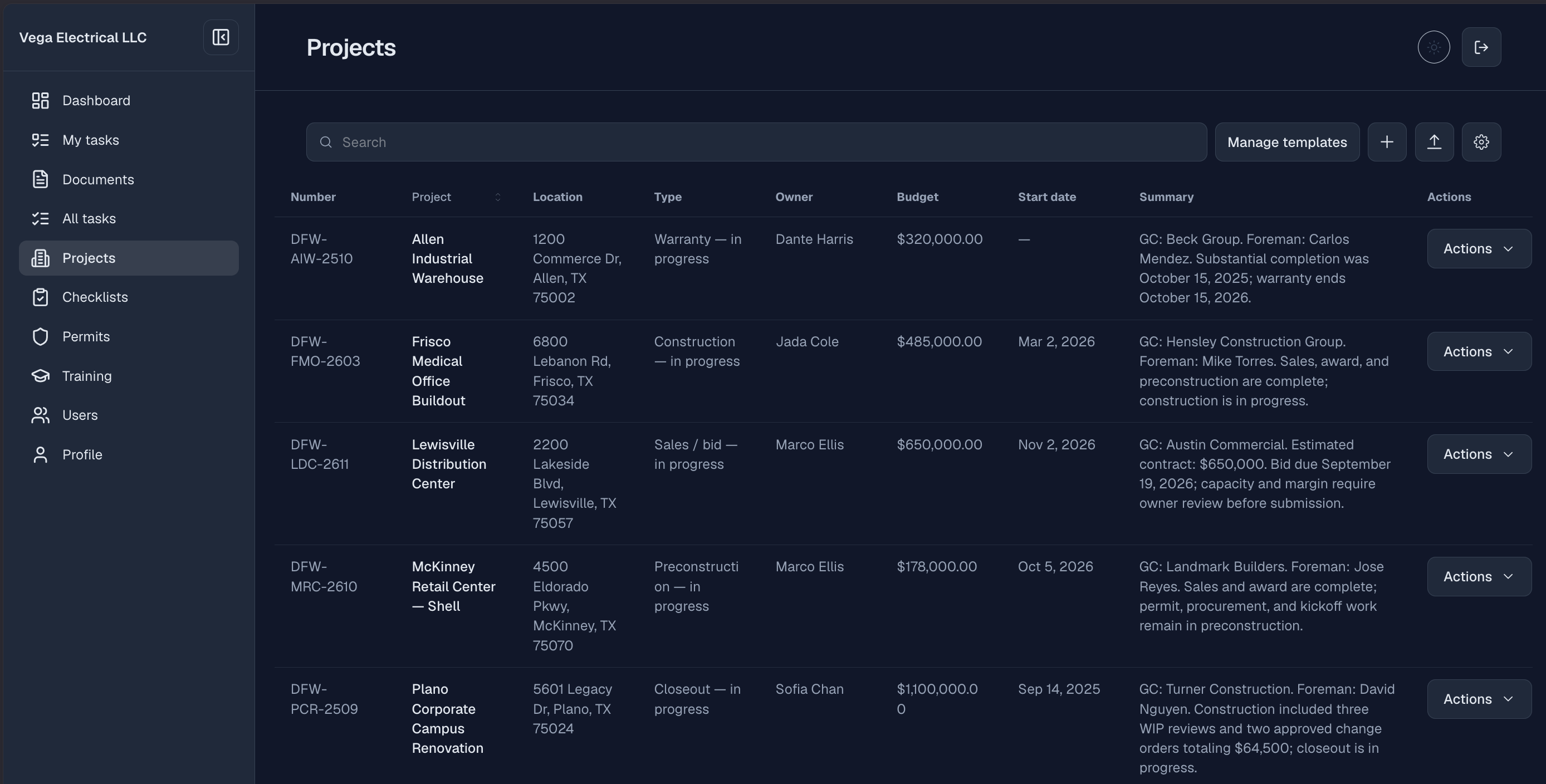
Flou projects register showing project names, locations, owners, budgets, and current stages
Flou project view

How Flou works

From your team’s playbook to the next move

Flou screens shown with sample project data.

01 · Start with the playbook

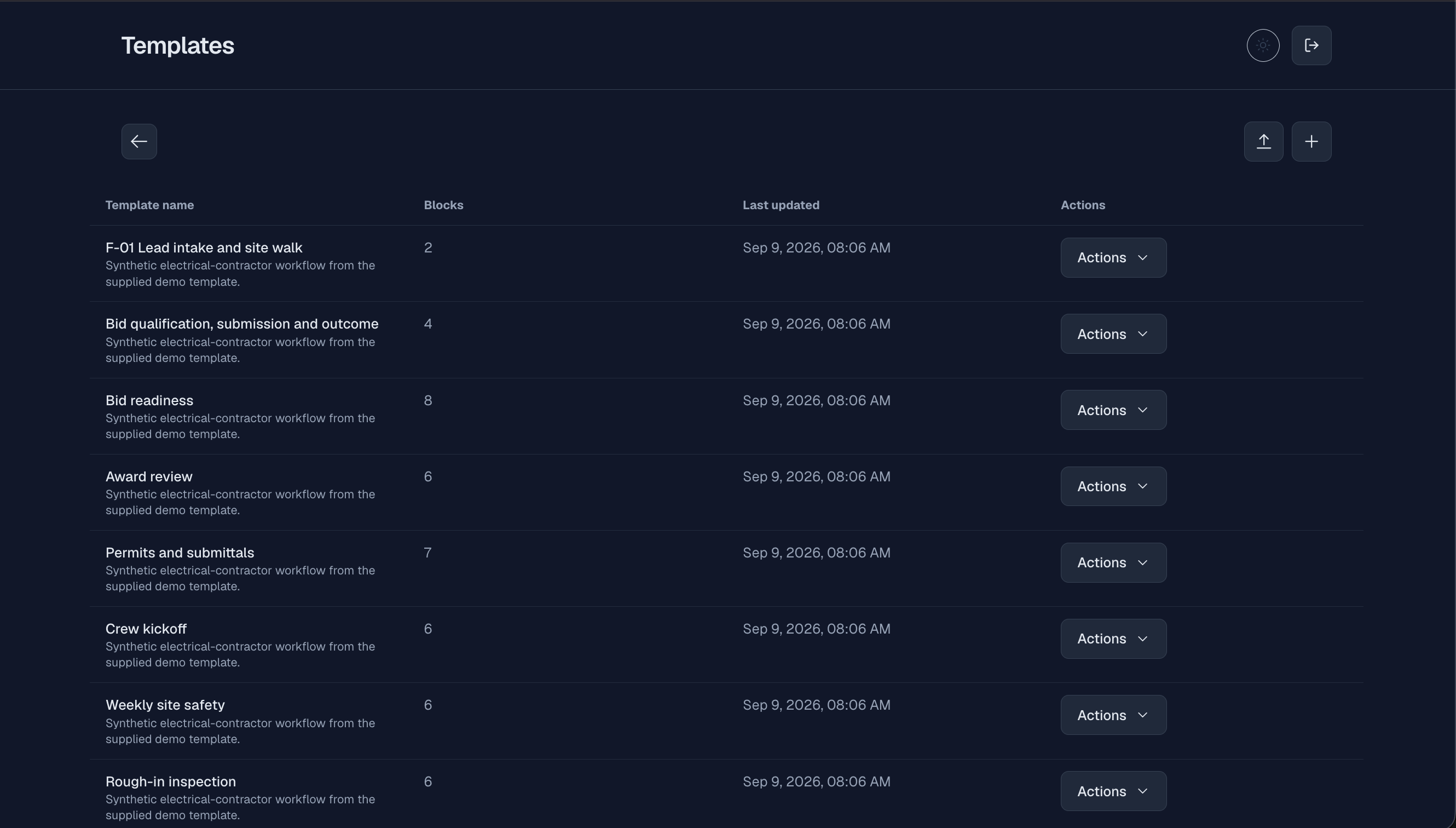
Run the same proven steps on every job

Turn the phases your team already follows into reusable templates and project checklists. A new job starts with the work laid out instead of an empty spreadsheet.

  • Reusable templates
  • Phase-by-phase checklists
Flou field view showing the checklists assigned to a field user
Template libraryView full-size

02 · Name the next handoff

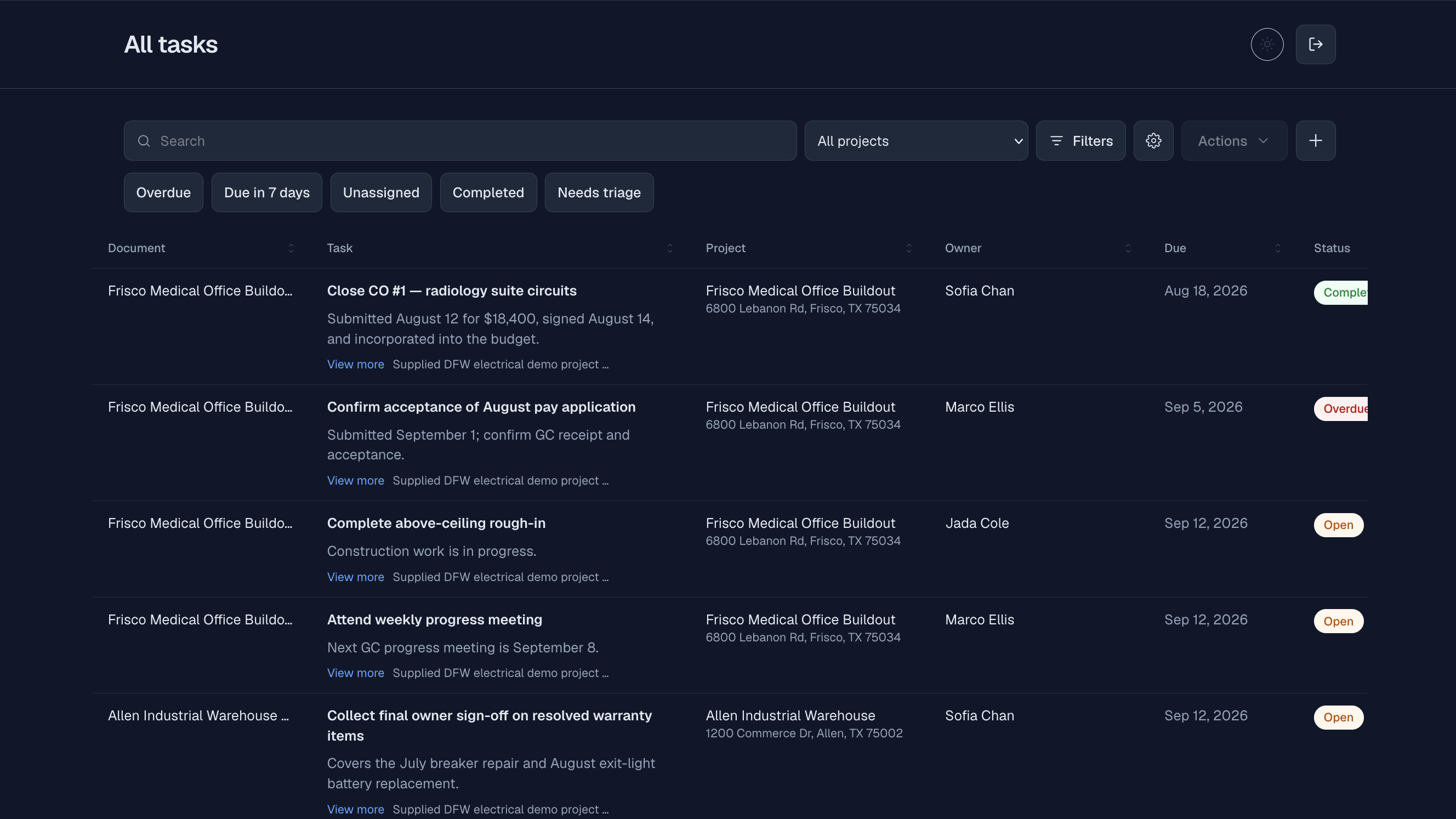
Put an owner and due date beside the task

The office and field can see the task, who owns it, when it is due, and its current status. Responsibility does not disappear inside a text thread.

  • Named owner
  • Due date and status
Flou field task view showing an assigned task and its due date
Task registerView full-size

03 · See what needs attention

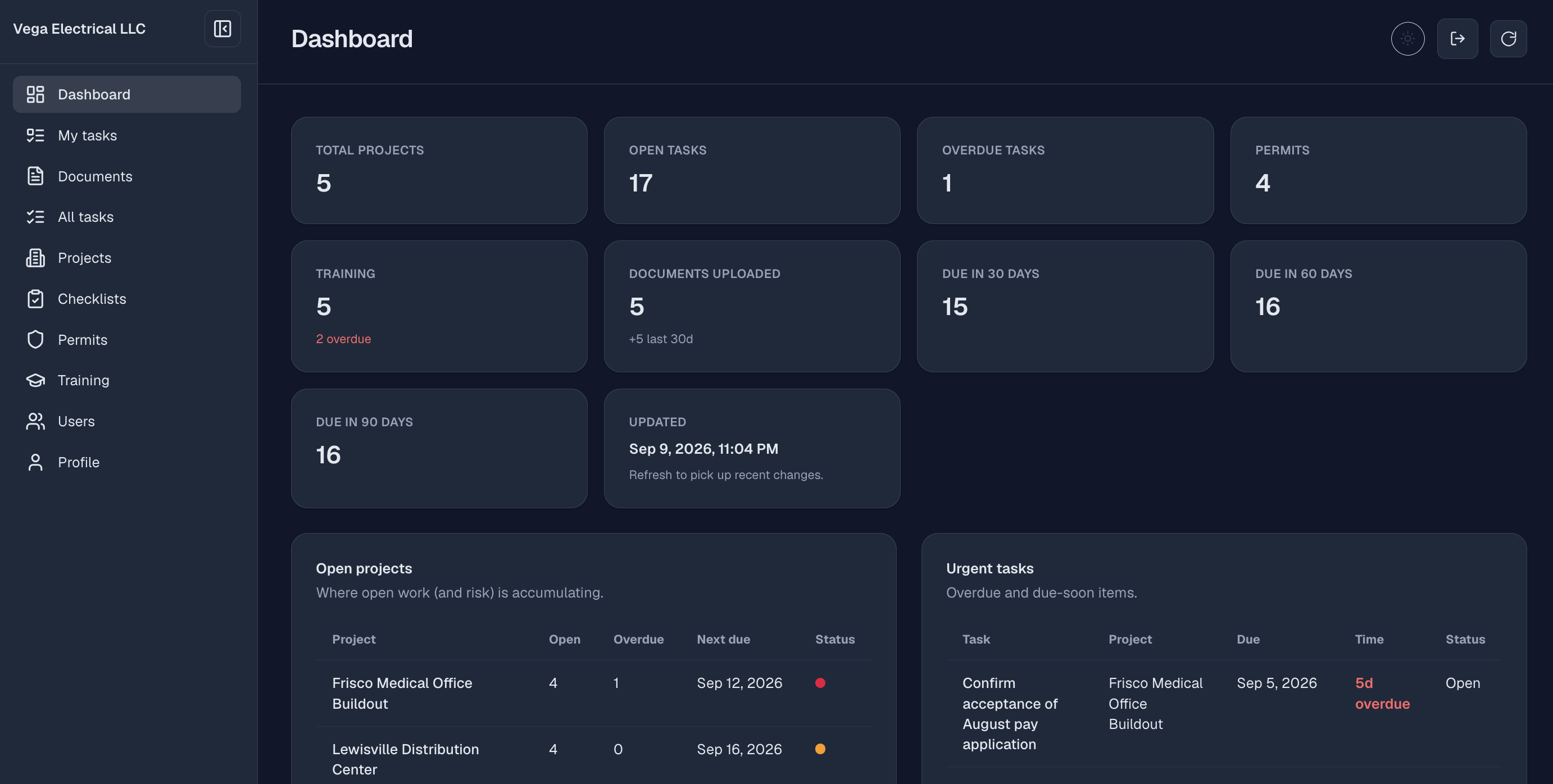
Know what is done, due, or stuck

Project managers can review open work, overdue tasks, upcoming dates, and connected permit, training, and document activity without assembling a separate status report.

  • Open and overdue work
  • Upcoming due windows
Flou dashboard showing open work, overdue tasks, and upcoming due dates
Project dashboardView full-size

A familiar job problem

The handoff happened. The details did not.

A job moves from estimating to preconstruction, then the field needs an answer. The task is in one spreadsheet, the permit note is in an inbox, and the latest update is buried in a text thread. Flou gives each step a visible owner, due date, and status.

  1. 01Start the project from a checklist your team already trusts.
  2. 02Give the next task to a named person with a due date.
  3. 03Let the office see progress without interrupting the field for an update.
Daniel Velasquez, Founder of Flou

Meet the founder

Built and supported by Daniel Velasquez

I built Flou because electrical contractors deserve a clearer way to run work from bid through closeout. My background building and operating software and cloud systems taught me to value reliable processes, visible ownership, and continuous improvement.

Daniel Velasquez · Founder, Flou

Simple monthly pricing

One flat price for the team that needs access

Every plan includes unlimited projects and templates, guided onboarding, and the product in English and Spanish.

Starter

$149

per month

1–20 active accounts

For the people who need to run the first set of projects in Flou.

Book a 30-minute demo

Core

$249

per month

21–50 active accounts

For a larger group of office and field users.

Book a 30-minute demo

Growth

$349

per month

51–100 active accounts

For broad access across project roles and crews.

Book a 30-minute demo

Enterprise

Let’s talk

Contact for pricing

101+ active accounts

A capacity and commercial conversation for larger teams.

Book a 30-minute demo

Included with every plan

  • Unlimited projects and templates
  • English and Spanish included
  • Guided onboarding included
  • Month-to-month

Prices are in USD, month-to-month, and exclude applicable taxes. Active-account, plan-change, billing, and cancellation details are covered in the FAQ.

Email app not opening? Copy our email address.

Straight answers

What teams usually ask first

Do we have to replace our current process?

No. Flou turns the process your team already follows into reusable templates, checklists, and assignments.

What counts as an active account?

An active account is an accepted, enabled organization member who can sign in. Pending invitations and disabled accounts do not count.

What happens when we reach our plan capacity?

Upgrade before accepting or reactivating the next account. The higher capacity is available immediately, and the new flat price begins on the next monthly invoice without mid-cycle proration or credit.

What does guided onboarding include?

Two one-hour remote sessions, help configuring the first template and inviting the initial team, plus 30 days of email questions. Migration, custom development, on-site work, legal or compliance advice, and ongoing administration are separate if agreed in writing.

How do billing and cancellation work?

Invoices are emailed monthly and accept card or ACH. The first payment is due before activation and onboarding. Cancellation takes effect at the end of the paid monthly period, with no partial-month refund or credit except where legally required. Applicable taxes are added.

Is Flou available in Spanish?

Yes. The marketing site and product are available in English and Spanish.

Bring one messy handoff to the walkthrough.

In 30 minutes, we’ll look at how your team runs that step today and show how the same work would be organized in Flou. No preparation required.